
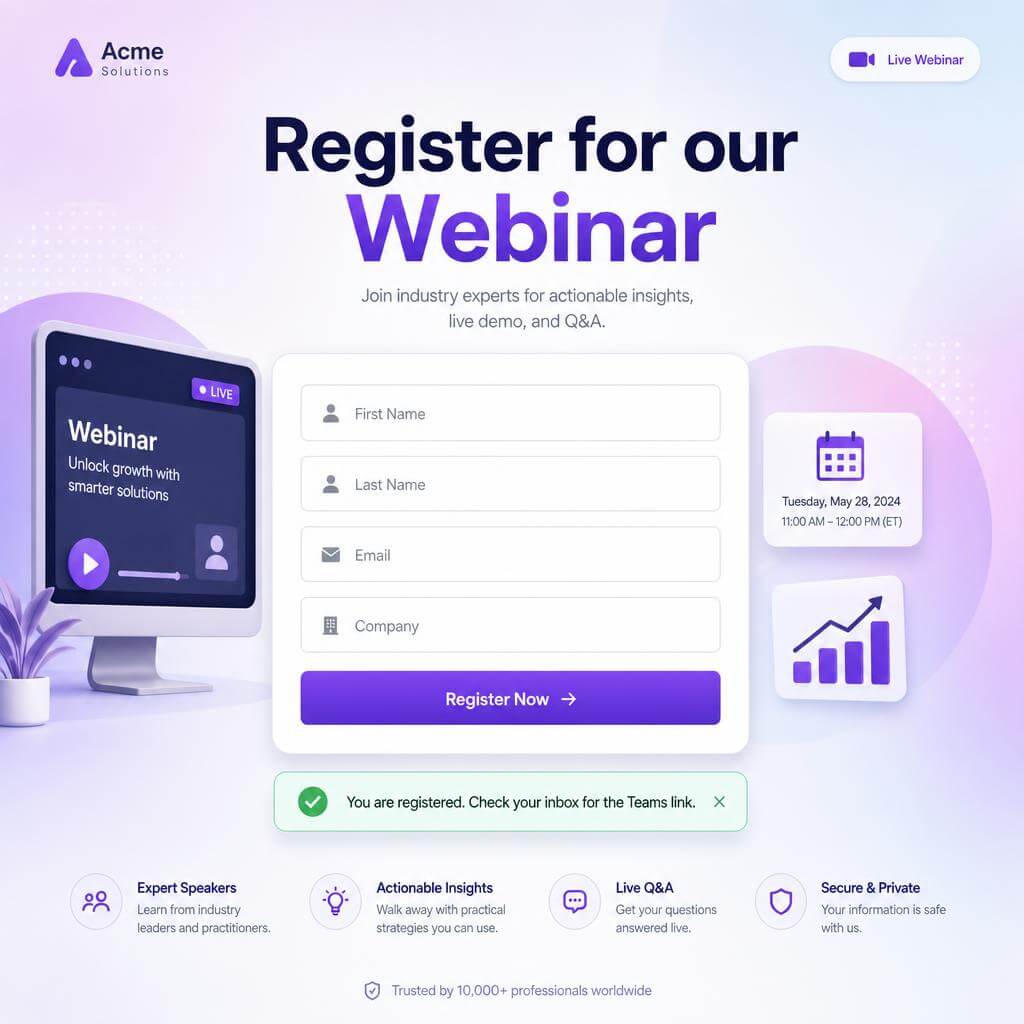


Turn Elementor forms into Microsoft Teams webinar registrations
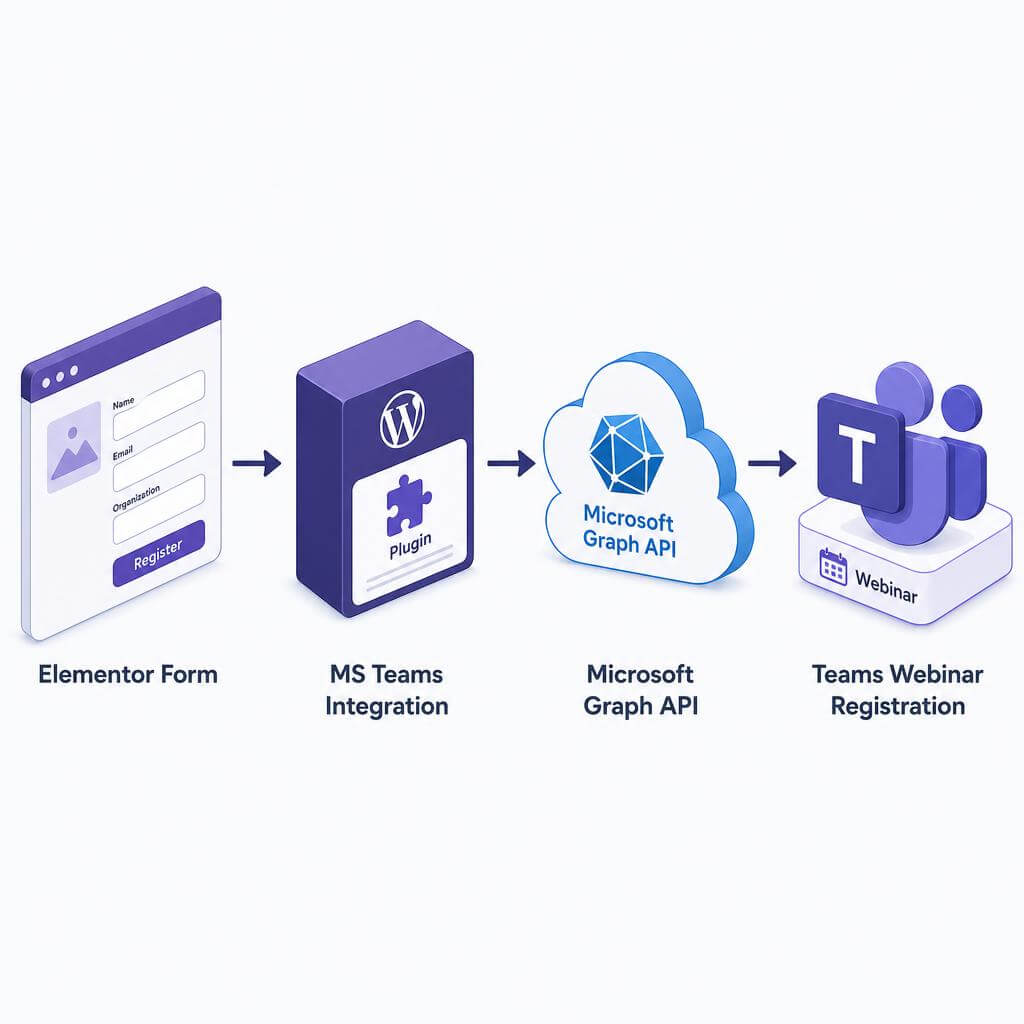
Running webinars on Microsoft Teams and collecting sign-ups through Elementor Pro? Stop exporting CSVs. This plugin registers every form submission directly into the correct Teams Webinar through Microsoft Graph — the moment a visitor hits Submit.
You keep full control of the form design in Elementor. The plugin handles the API, the authentication, and the mapping in the background.
What it does
- Registers Elementor Pro form submissions as Microsoft Teams Webinar attendees in real time.
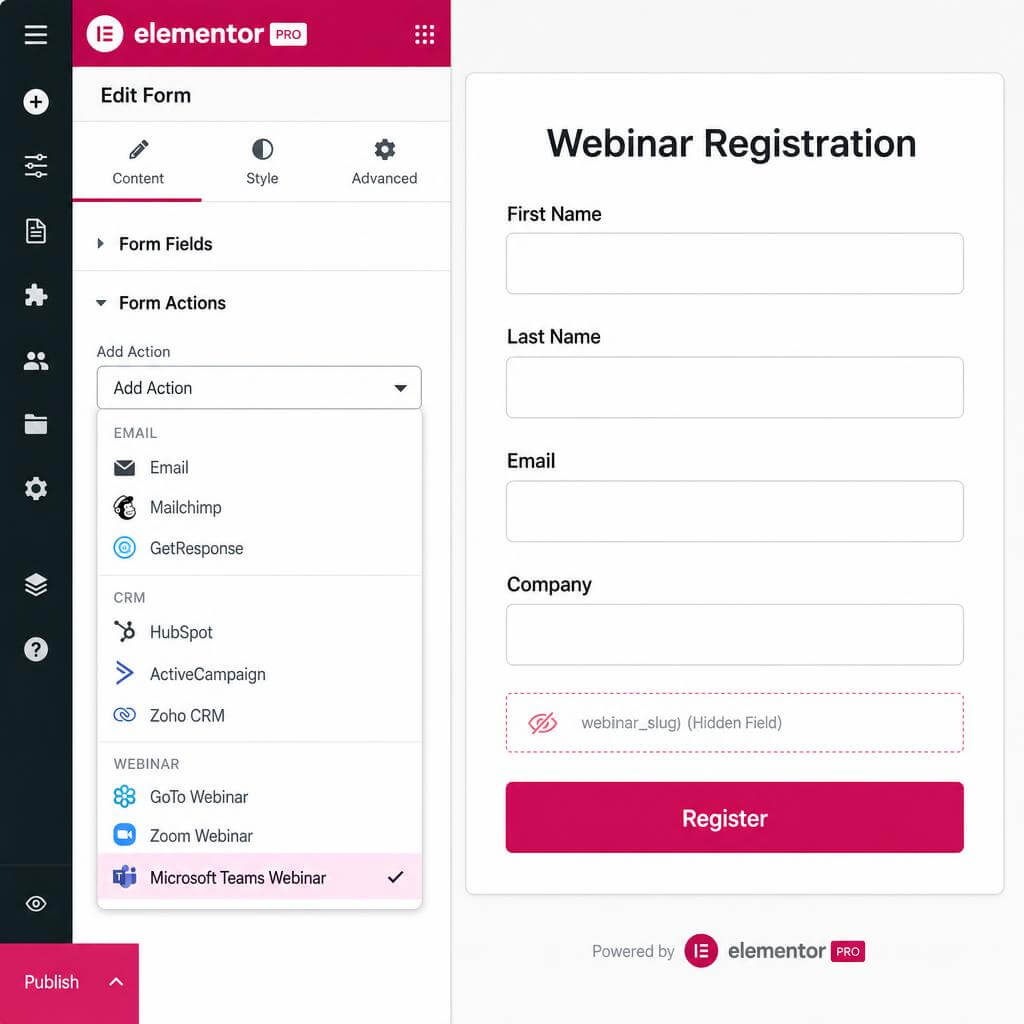
- Maps unlimited webinars through short, human-readable slugs stored in a hidden form field.
- Splits First name and Last name so Microsoft Graph receives clean data.
- Sends optional Company and preferred language with each registration.
- Redirects the attendee to a custom thank-you URL after a successful sign-up.
Why website owners choose it
- No Zapier, no monthly middleman fees. The plugin talks to Microsoft Graph directly from your WordPress site.
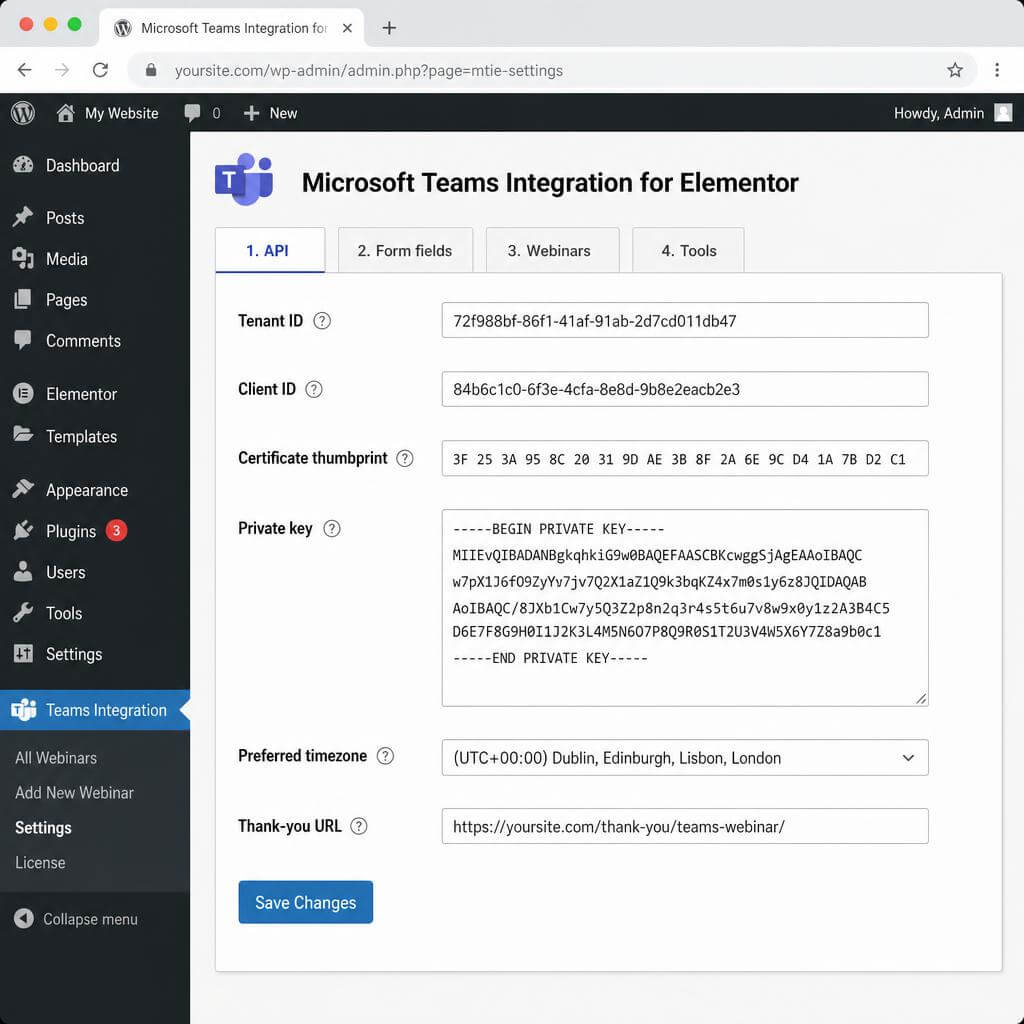
- Enterprise-grade auth. It authenticates with a certificate (tenant ID, client ID, thumbprint, private key) — the same method Microsoft recommends for production apps.
- Encrypted key storage. Your private key is encrypted in the WordPress options table and never printed back to the screen.
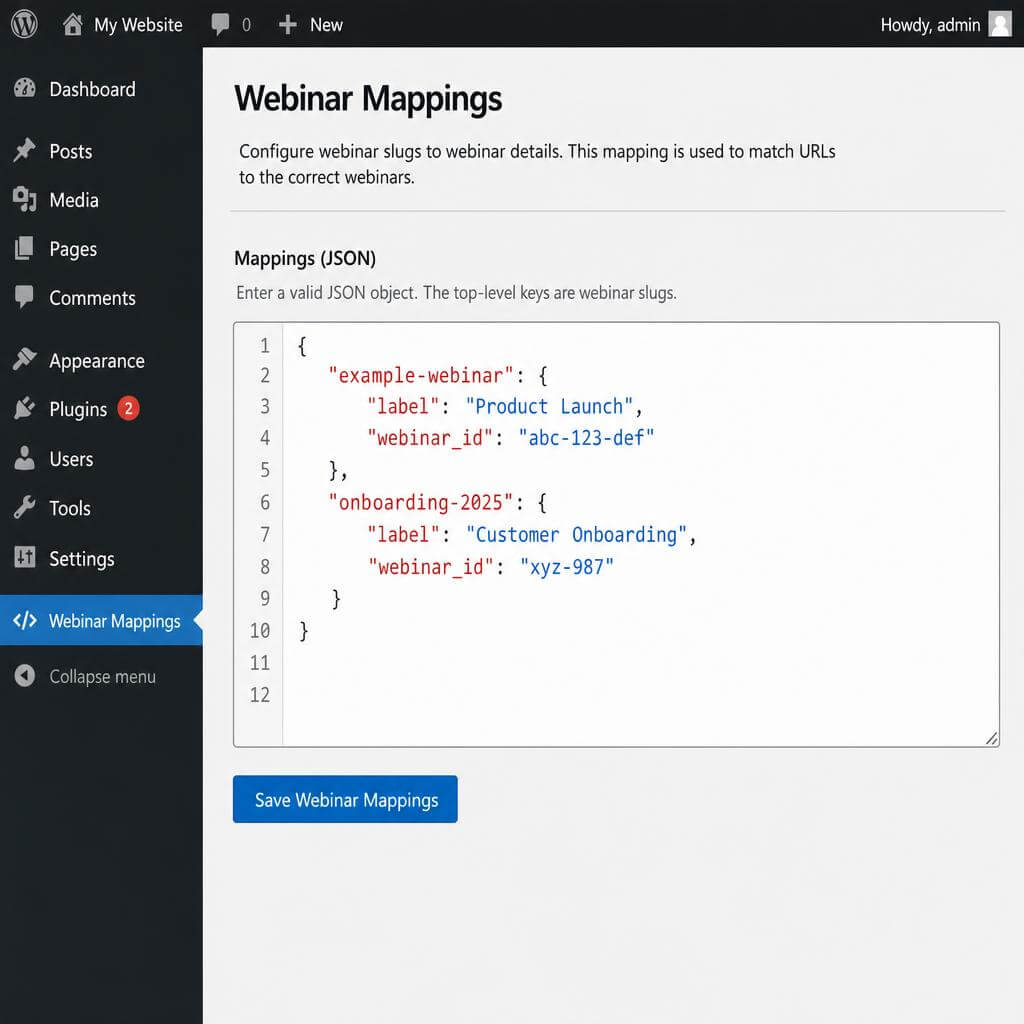
- Multi-webinar ready. Configure a JSON map once, then reuse the plugin across every landing page.
- Built-in test tool. Fire a real registration from the admin panel before you go live.
- Debug logging on demand. Flip one checkbox to log every Graph call to the PHP error log.
How it works (3 steps)
- Connect Microsoft Graph. Paste your Azure tenant ID, client ID, certificate thumbprint, and private key.
- Map your webinars. Give each Teams Webinar a slug like
product-launch-mayand drop the slug into a hidden Elementor field. - Pick the action. In the Elementor form, add the action Microsoft Teams Webinar and save. Done.
Compatibility
- WordPress 6.0 or newer
- PHP 7.4 or newer
- Elementor Pro (form widget required)
- Microsoft 365 tenant with Teams Webinars enabled
- Azure AD app registration with
OnlineMeetings.ReadWrite.Allapplication permission
What’s inside the box
- The
microsoft-teams-integration-for-elementorplugin (version 1.3.0) - Setup guide (Azure app registration, certificate upload, JSON mapping)
- 12 months of updates and email support
- 30-day money-back guarantee
FAQ
Q1. Do I need Elementor Pro, or does the free Elementor work?
Elementor Pro is required. The plugin hooks into the Pro Form widget’s action system, which is a Pro-only feature.
Q2. Which Microsoft 365 licence do I need?
You need a Microsoft 365 tenant with Teams Webinars enabled. Business Standard, Business Premium, and most Enterprise SKUs cover this. A free Teams account does not.
Q3. What permissions does the Azure app need?
Grant OnlineMeetings.ReadWrite.All as an application permission, then admin-consent it. The plugin runs server-to-server, so no user needs to sign in.
Q4. Is my private key safe?
Yes. The plugin encrypts the private key before it hits the WordPress options table. The admin form never displays the key back after saving.
Q5. Can I register attendees for more than one webinar?
Yes. Add as many webinars as you want to the JSON mappings tab. Each webinar gets a slug. Drop the slug into a hidden Elementor field, and the plugin routes each submission to the right webinar.
Q6. Does the plugin support Zoom, GoTo, or Google Meet?
No. This plugin is Microsoft Teams only, by design. Keeping the scope tight keeps the integration reliable.
Q7. Will it break my existing Elementor emails and integrations?
No. The plugin adds a new action next to the built-in ones. Your existing Email, MailChimp, or HubSpot actions keep firing exactly as before.
Q8. What happens if the Microsoft Graph call fails?
The plugin logs the failure (when debug is on) and lets the Elementor form finish normally. Users still see the thank-you page. You can retry from the Tools tab.
Q9. Is there GDPR-relevant data leaving my site?
Yes — first name, last name, email, and optional company go to Microsoft Graph so the attendee can be registered. Add this to your privacy policy.
Q10. Do I get updates and support?
Every licence includes 12 months of updates and email support. Renew to keep receiving both.
Q11. Can I get a refund?
Yes. If it does not work for you, ask for a refund within 30 days.
Q12. Which WordPress and PHP versions are supported?
WordPress 6.0 or newer, PHP 7.4 or newer. PHP 8.1+ recommended.


Reviews
There are no reviews yet.