

Turn Your WooCommerce Store into a Direct Booking Engine
Stop paying OTA commissions on every reservation. The Lodgify WooCommerce Integration connects your Lodgify account to your own WordPress store, so guests book and pay directly on your website. Lodgify stays your single source of truth for availability, pricing, and reservations.
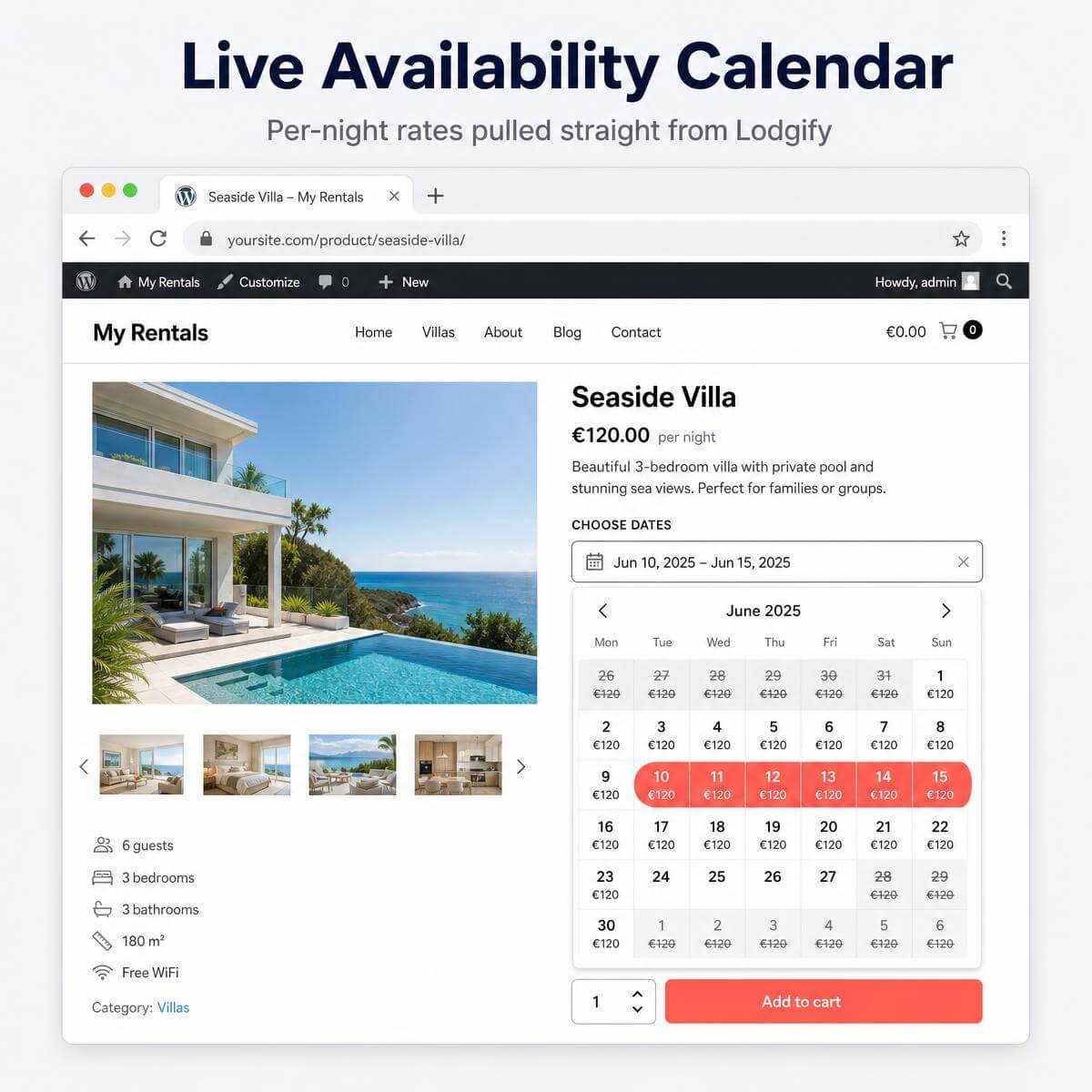
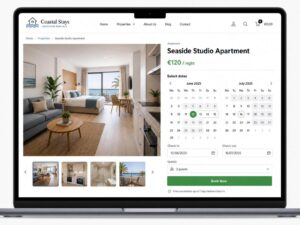
Live Availability Calendar on Every Product Page
Guests pick their dates in a fast, mobile-friendly calendar (Flatpickr). The calendar blocks booked dates in real time and shows the per-night rate under each day. No double bookings. No guesswork.
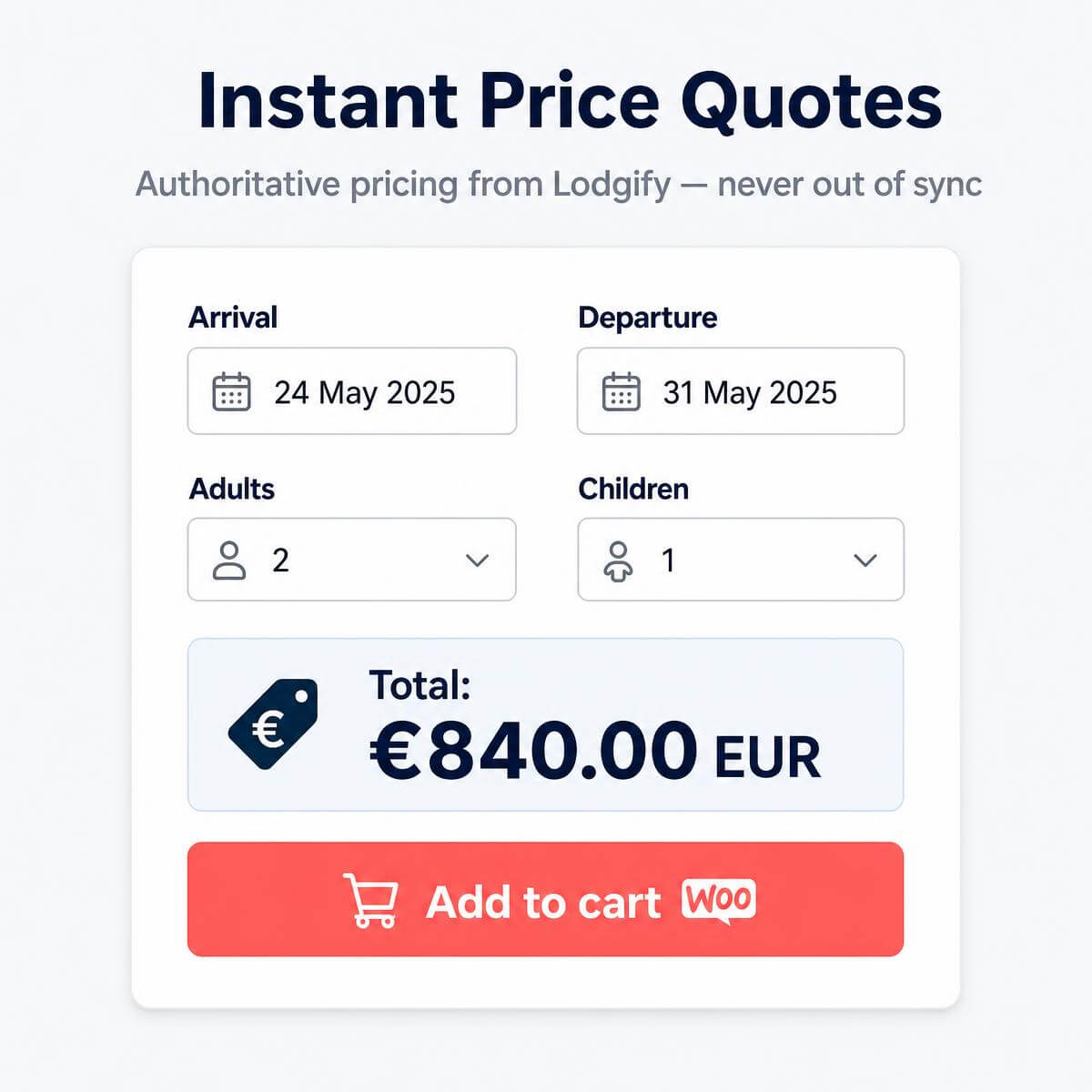
Prices That Never Go Out of Sync
The plugin asks Lodgify for an authoritative quote before checkout. Whatever rules you set in Lodgify — seasonal rates, length-of-stay pricing, guest counts — the exact same total appears in your WooCommerce cart.
Bookings Created and Cancelled Automatically
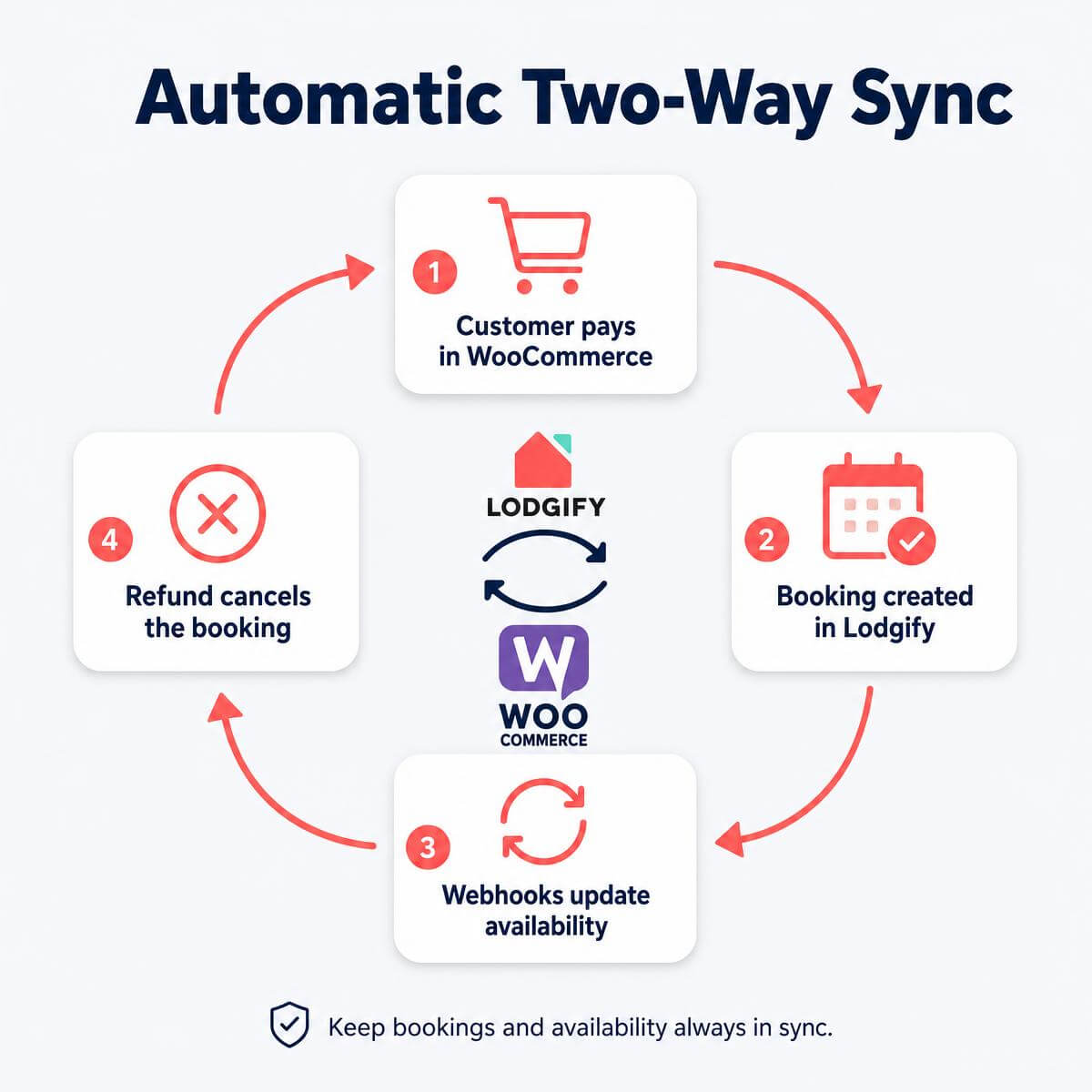
When a customer pays, the plugin creates the booking in Lodgify with your chosen status and source label. If you refund or cancel the order, the plugin cancels the Lodgify booking too. A built-in webhook receiver keeps the storefront calendar current in real time.
Built for Modern WooCommerce
- Compatible with HPOS (High-Performance Order Storage)
- Works with Cart & Checkout Blocks
- Every customer-facing string is translatable from the settings page
- Lightweight: caches availability data (configurable, default 2 hours) so your pages stay fast
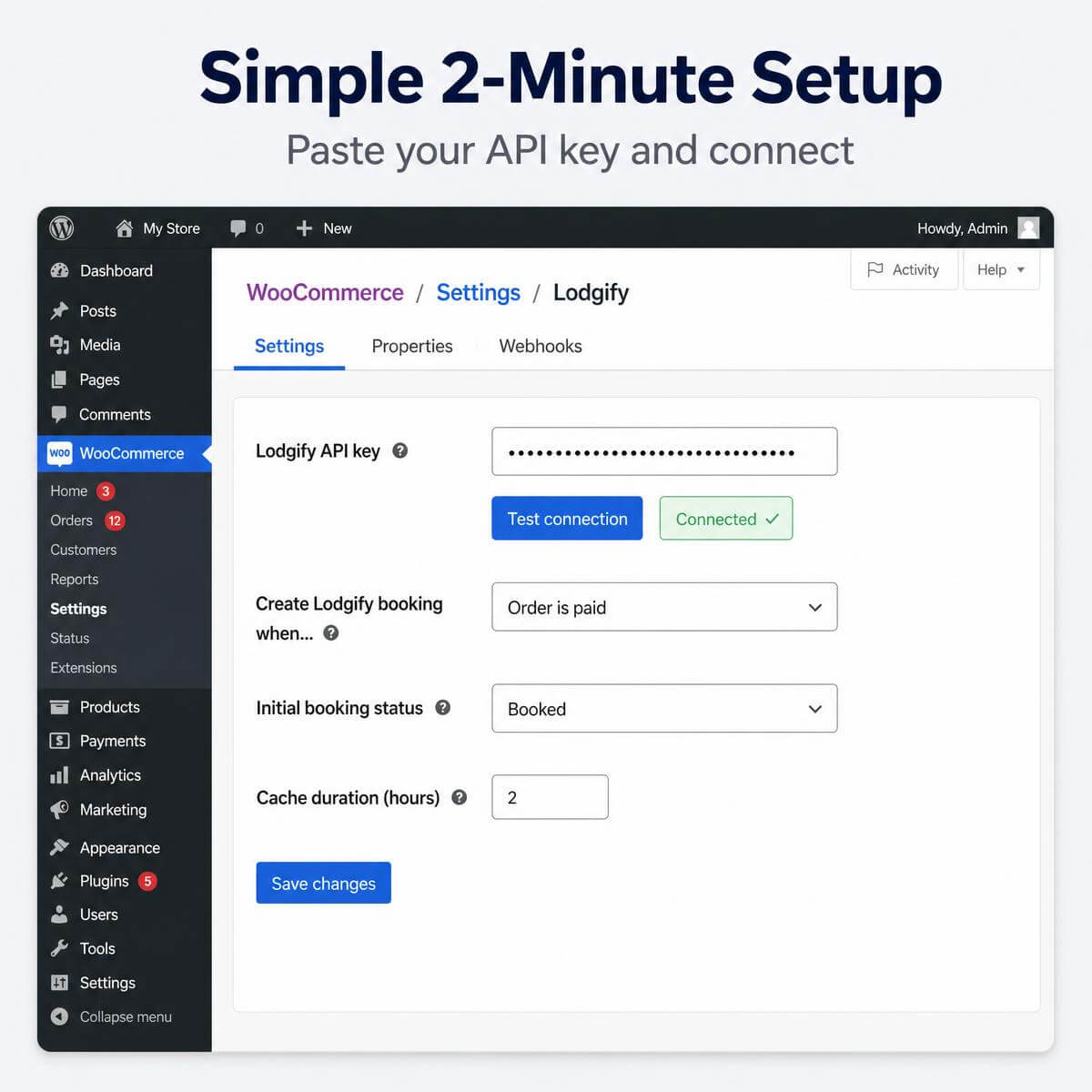
Setup in Minutes
- Activate the plugin.
- Paste your Lodgify API key under WooCommerce → Settings → Lodgify and click Test connection.
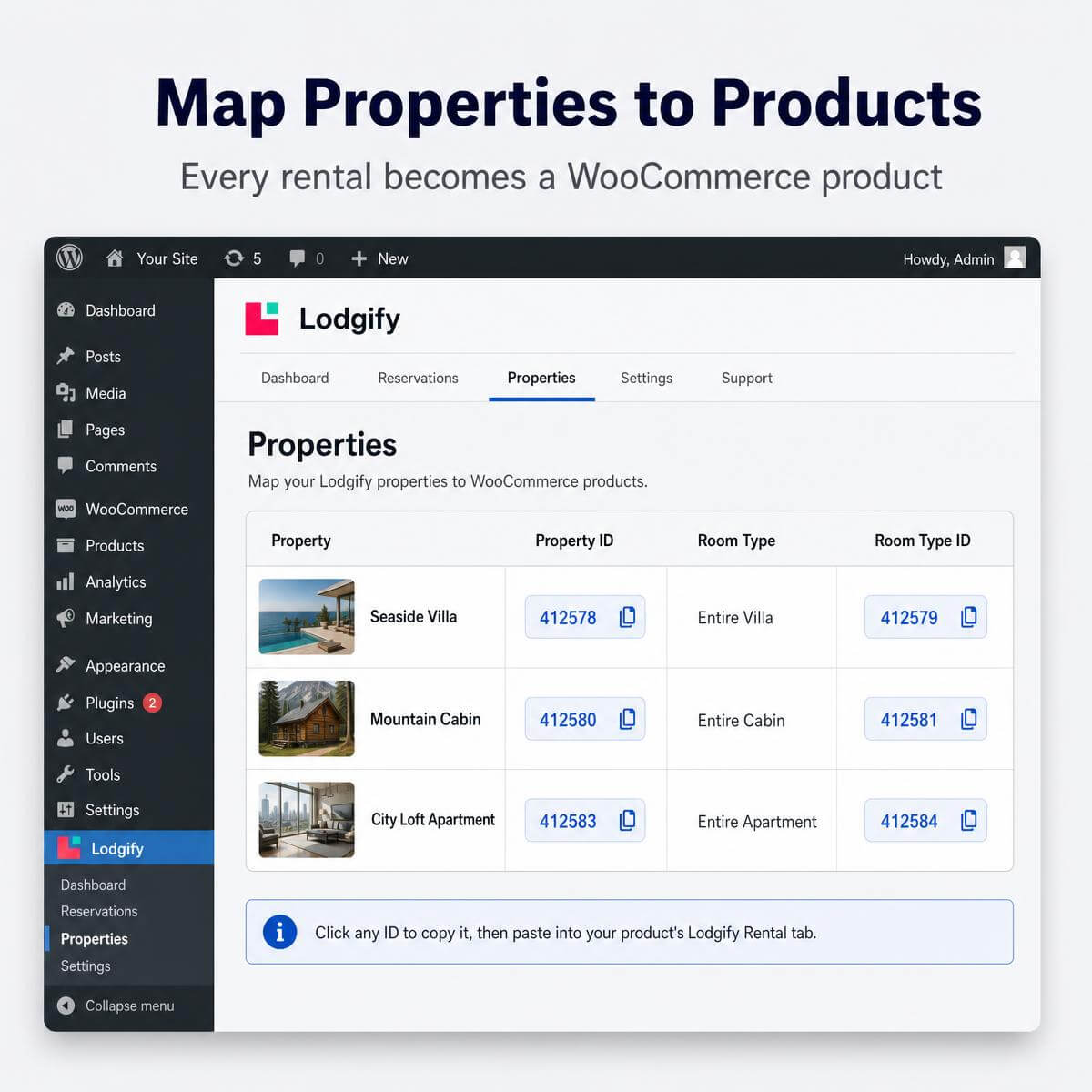
- Open the Properties tab and copy your Property ID and Room Type ID with one click.
- Paste the IDs into the “Lodgify Rental” tab on any WooCommerce product. Done.
Key Features at a Glance
- Live availability calendar with per-night rates on product pages
- Authoritative price quotes pulled from Lodgify at booking time
- Automatic booking creation when the order is paid (configurable trigger)
- Automatic cancellation on refund or order cancellation
- Real-time sync via Lodgify webhooks
- Guest selectors for adults and children with max-guest limits
- One-click Property ID / Room Type ID lookup inside WordPress
- Fully translatable frontend strings — no code needed
- HPOS and Cart/Checkout Blocks compatible
- Configurable booking status, source label, and cache duration
FAQ
Do I need a Lodgify account?
Yes. The plugin connects to the Lodgify Public API, so you need an active Lodgify subscription with API access. You paste your API key once and the plugin handles the rest.
Will this prevent double bookings?
Yes. The calendar blocks dates that Lodgify marks as unavailable, and webhooks push changes to your store in real time. Bookings made on your site appear in Lodgify immediately after payment, which syncs to your other channels.
When exactly is the booking created in Lodgify?
By default when the order is paid. You can change the trigger, the initial booking status (for example “Booked”), and the source label in the settings.
What happens if I refund an order?
The plugin cancels the matching Lodgify booking automatically. You can switch this off if you prefer manual control.
Does the price in my store always match Lodgify?
Yes. The plugin requests a quote from Lodgify for the selected dates and guests before checkout. Your seasonal rates, fees, and length-of-stay rules all apply.
Can I translate the booking widget?
Yes. Every customer-facing string is editable from the settings page — no translation files or code required.
Does it work with the new WooCommerce Cart and Checkout Blocks?
Yes. The plugin declares compatibility with both Cart/Checkout Blocks and High-Performance Order Storage (HPOS).
How many properties can I connect?
As many as you like. Each WooCommerce product maps to one Lodgify property and room type via the product’s “Lodgify Rental” tab.
Will it slow down my site?
No. Availability data is cached (default 2 hours, configurable) and the calendar loads asynchronously.
Do you offer refunds?
Yes — but only if product we sold doesnt work and we cannot fix this. Sometimes theme or other plugins may cause conflict – if this happens, meaning you buy plugin, install and activate it and configure properly and its not working – first contact us and we’ll help to configure it or make neccessary changes so that it would work.
Reviews
There are no reviews yet.